VC Review 퀵 가이드
영상을 보면서 Enter만 누르면 수정 노트가 됩니다. 무료 · 로그인 없음 · 설치 없음 · 영상 업로드 없음.
#딱 세 가지만 기억하세요
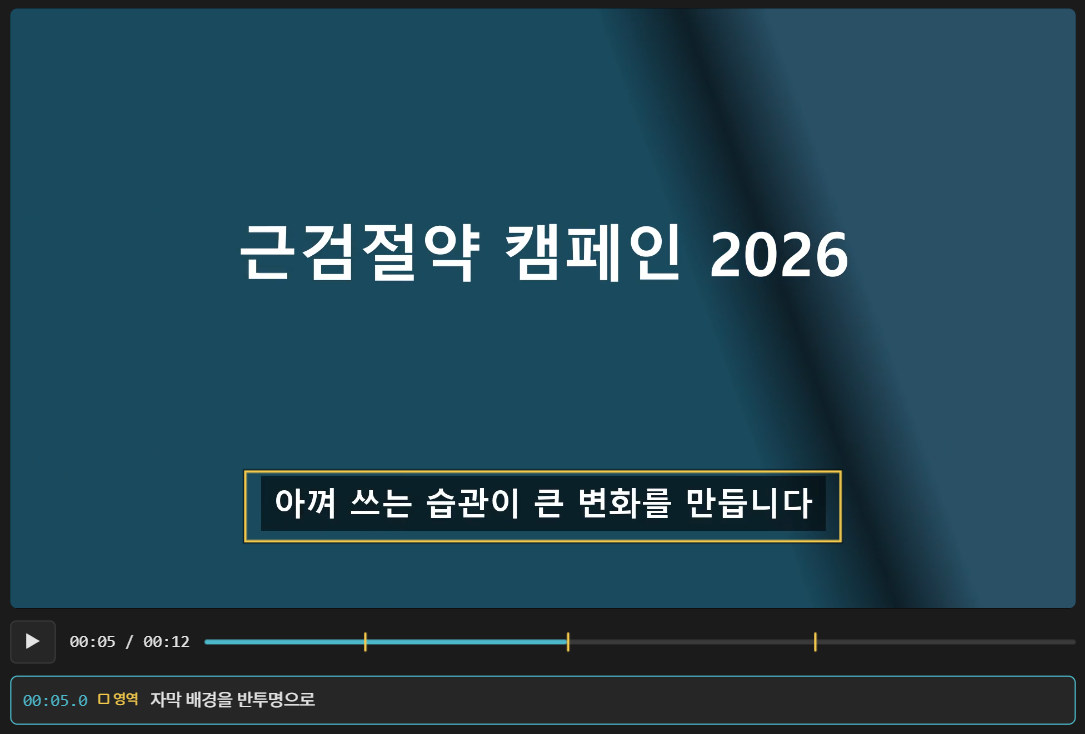
#1. Enter 치고 입력
영상을 보다가 고칠 곳에서 Enter를 누르면 영상이 멈추고 노트 칸이 열립니다. 쓰고 Enter를 한 번 더 누르면 저장되고 다시 재생됩니다.
화면 위치가 중요하면 노트 칸이 열린 동안 영상 위를 끌어 네모로 표시할 수 있습니다.
#2. 타임코드와 함께 노트가 만들어집니다
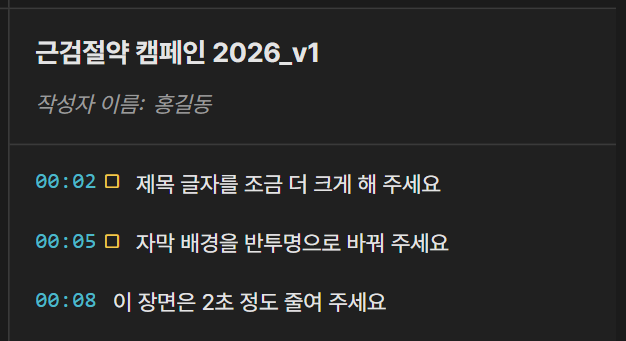
노트마다 그 장면의 시각이 자동으로 붙습니다. 오른쪽 목록에서 시각을 누르면 그 장면으로 바로 이동합니다.
01:04 오른쪽 위 로고를 조금 키워 주세요
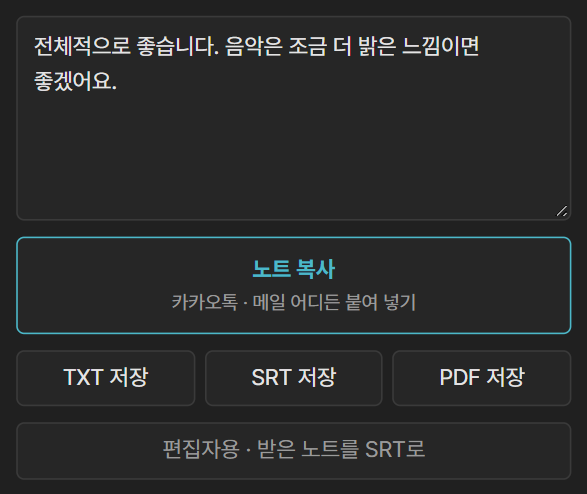
#3. 내보내기 — 보관하고 공유하세요
끝나면 노트 복사를 눌러 카카오톡 · 메일에 붙여 넣으면 됩니다. 문서 파일이 필요하면 TXT · SRT · PDF로 저장할 수 있습니다.
노트는 이 브라우저 안에만 저장됩니다. 회사 · 공용 PC는 창을 닫을 때 지워질 수 있으니, 끝나면 꼭 노트 복사나 TXT로 보관하세요.
#누가 쓰느냐에 따라
| 고객이라면 | 편집자라면 |
|---|---|
| 편집자가 보낸 리뷰 링크를 엽니다. 위 세 가지만 하면 끝입니다. 영상 파일을 받았다면 리뷰 페이지에 끌어 놓으세요. | 유튜브 · 구글 드라이브 링크를 리뷰 페이지에 붙이고 주황색 리뷰 링크 복사를 눌러 고객에게 보냅니다. 받은 노트는 SRT로 바꿔 프리미어에 올립니다. |
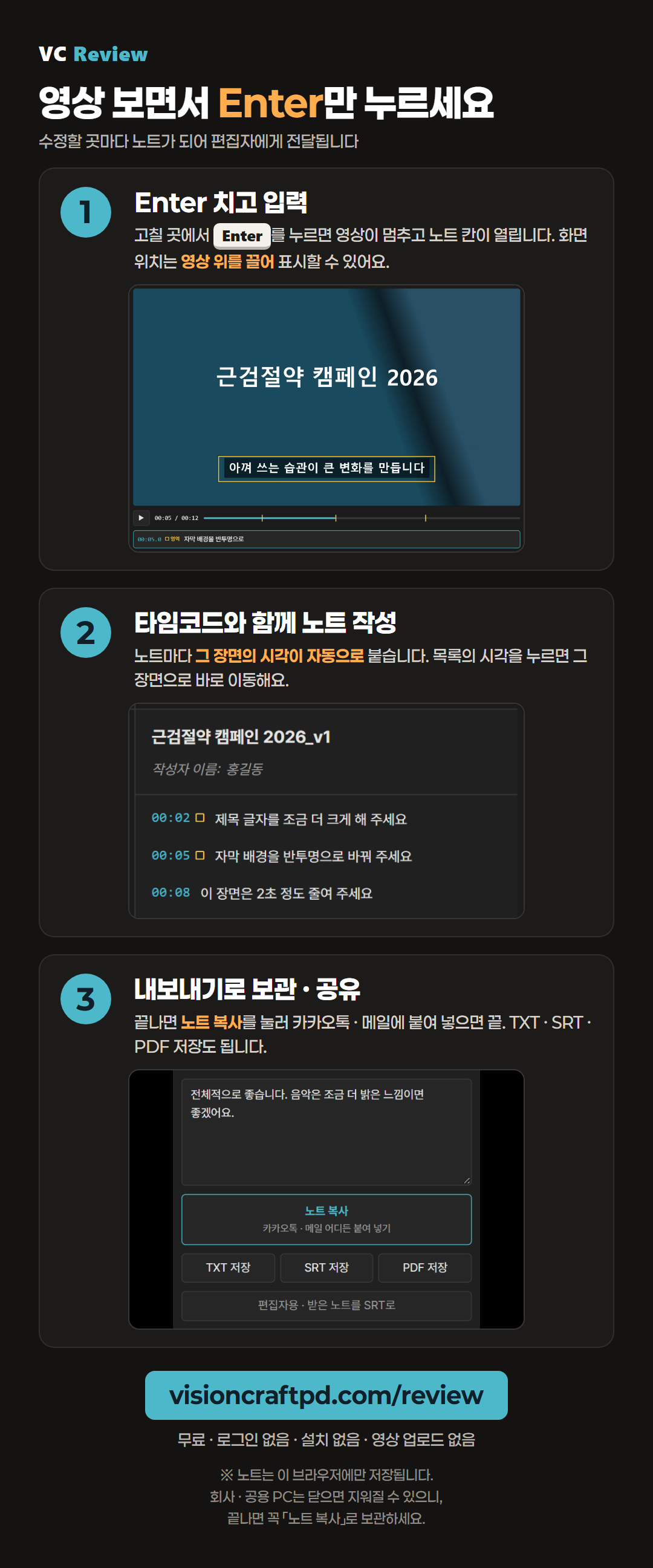
#고객에게 보낼 안내 이미지
링크와 함께 카카오톡 · 메일에 첨부해 보내세요. 누르면 크게 보입니다.
더 자세한 내용(동료 의견 합치기 · 구글 드라이브 · VC Hub 연동 · 자주 묻는 질문)은 상세 설명서에 있습니다.
VC Review quick guide
Press Enter while you watch, and it becomes a revision note. Free · no sign-in · no install · no video upload.
#Just remember three things
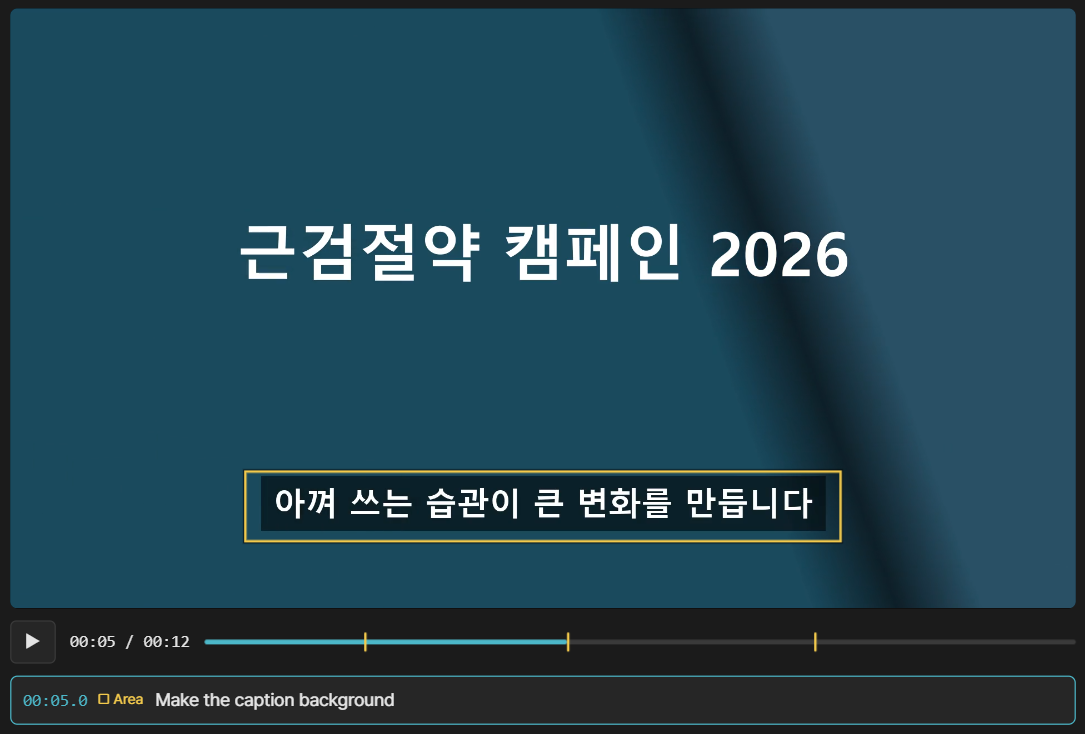
#1. Press Enter and type
When you reach something to fix, press Enter. The video pauses and a note box opens. Type, press Enter again, and it is saved and playback continues.
If the place on screen matters, drag a box over the video while the note box is open.
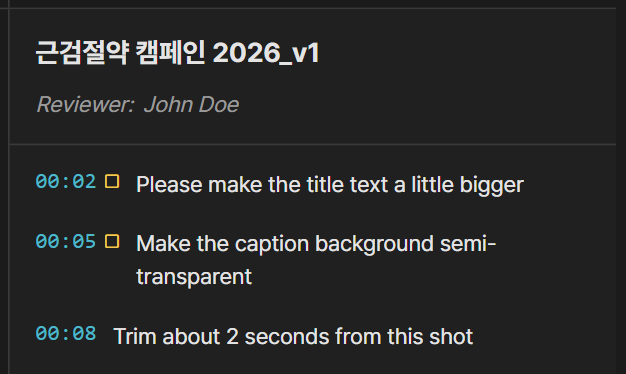
#2. Notes come with timecodes
Each note gets the time of that moment automatically. Click a time in the list on the right to jump straight to it.
01:04 Make the logo in the upper right a bit bigger
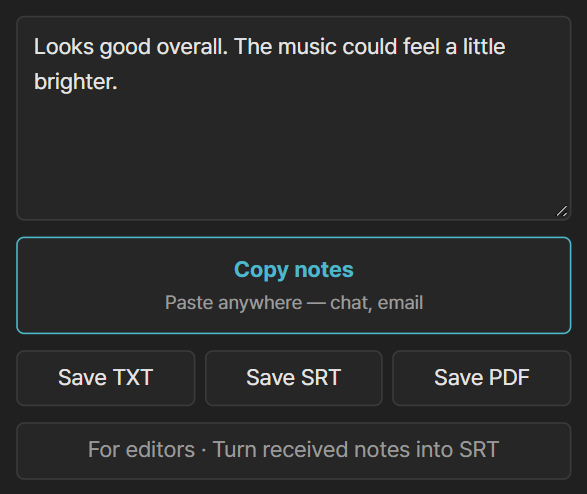
#3. Export — keep it and share it
When you are done, press Copy notes and paste it into a chat or an email. Need a file? Save it as TXT, SRT or PDF.
Notes are saved only in this browser. A work or shared computer may erase them when the window closes, so always copy the notes or save a TXT when you finish.
#Depending on who you are
| If you are a client | If you are an editor |
|---|---|
| Open the review link your editor sent. Just do the three things above. If you received a video file, drop it onto the review page. | Paste a YouTube or Google Drive link into the review page, press the orange Copy review link, and send it to your client. Turn the notes you get back into an SRT and bring it into Premiere Pro. |
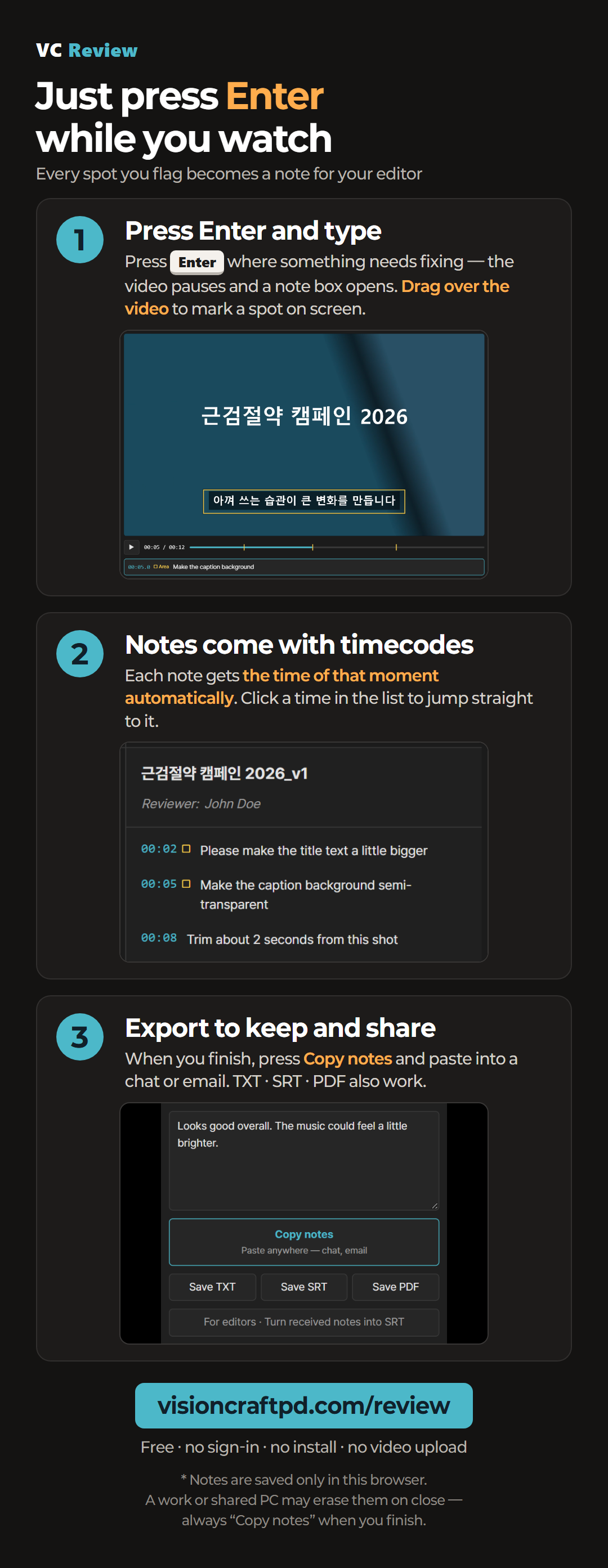
#A guide image to send to your client
Attach it to a chat or email along with the link. Click to enlarge.
For more (merging colleagues’ notes · Google Drive · VC Hub · FAQ), see the detailed guide.